Choose Your Preferred Currency
August 2026
Property expenses, bills, and history now display in the currency you choose for each home — so amounts match how you actually track the property.
What changed.
Each property can now have its own currency. That currency is used when House Passports shows expenses, bills, and other monetary values for the home.
The saved number does not change. House Passports does not convert amounts between currencies. It only displays the values you already recorded in the currency you select.
How to choose a currency.
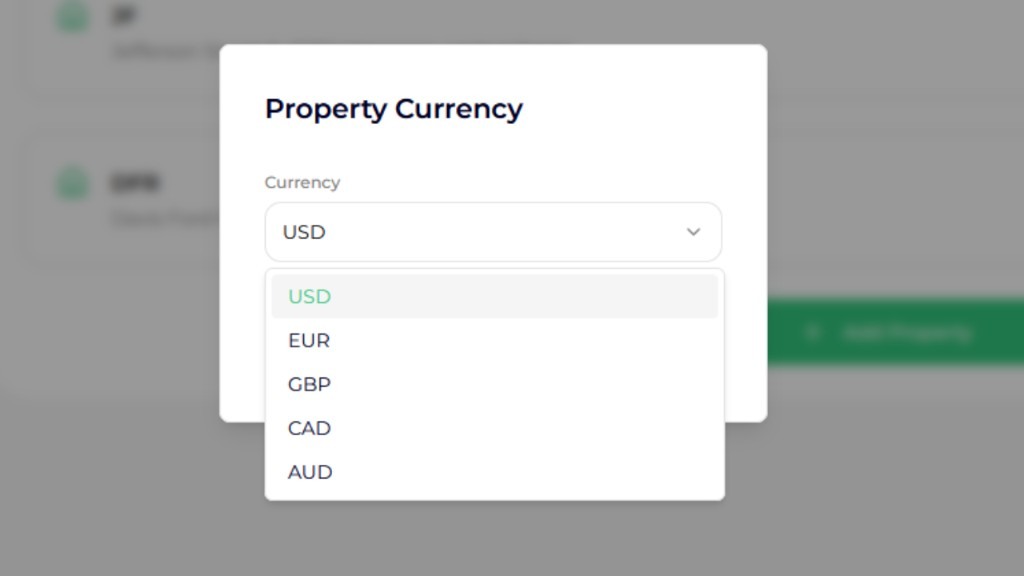
Open My Account, go to My Properties, and use the menu on a property to change its currency. Pick the code you want — such as USD, EUR, or GBP — and save.
New properties start with a default based on the property country. You can change that at any time. USD, EUR, GBP, CAD, and AUD are always listed, along with other supported currencies when they apply to that property.
Where you will see it.
After you save a currency, expense amounts, bills, and property history for that home use the new display currency. If you manage more than one property, each home can use a different currency.
This is a display setting for the property record. It helps keep costs readable in the currency you use for that home, without mixing symbols across properties.
No credit card required · Free to start